Shopping lists, to-dos, budgets, trackers and savings plans in one iPhone app. No ads, no account, and your lists stay on your iPhone.
Get Cybee's List on the App Store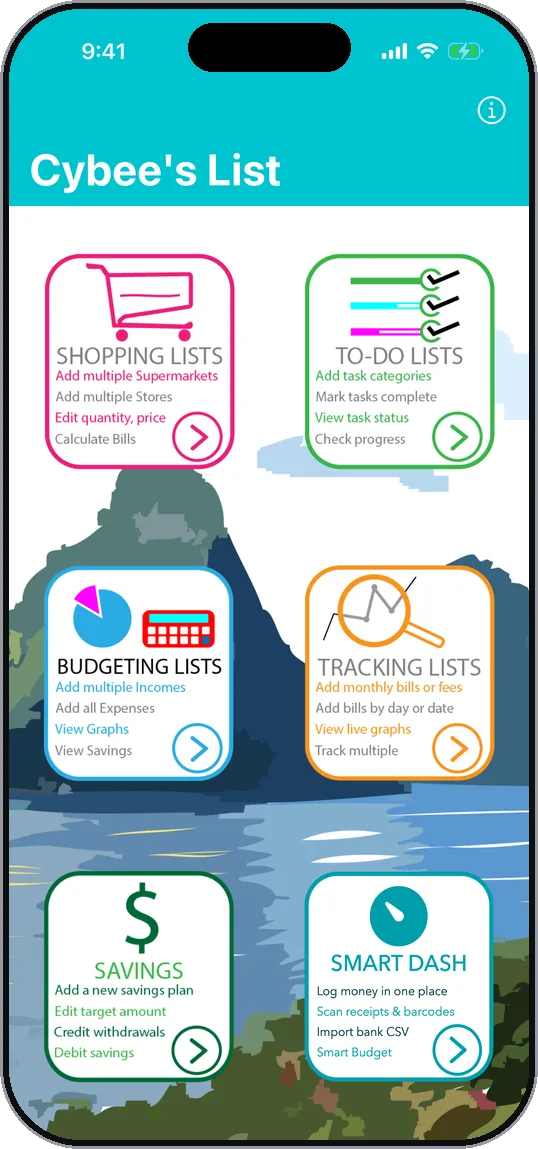
What's inside
-
Shopping Lists
Lists for every shop, with quantities, prices and a running total. Scan a barcode or a receipt to fill them in.
-
To-Do Lists
Search tasks or add new ones in the same box. Add notes and reminders, and see how much is done.
-
Budgeting Lists
Income, budgeted amounts and expenses for each month, in categories you can rename or add to.
-
Tracking Lists
Bills, meter readings, workouts or anything else over time, as a bar or line graph.
-
Savings Plans
Set a target, record deposits and withdrawals, and watch the progress bar fill.
-
Smart Dash
This month's spending at a glance. Log an expense, scan a receipt or import a bank statement from CSV or Excel.
Screenshots
Swipe to see more.
-
Home Every list one tap from the home screen. -
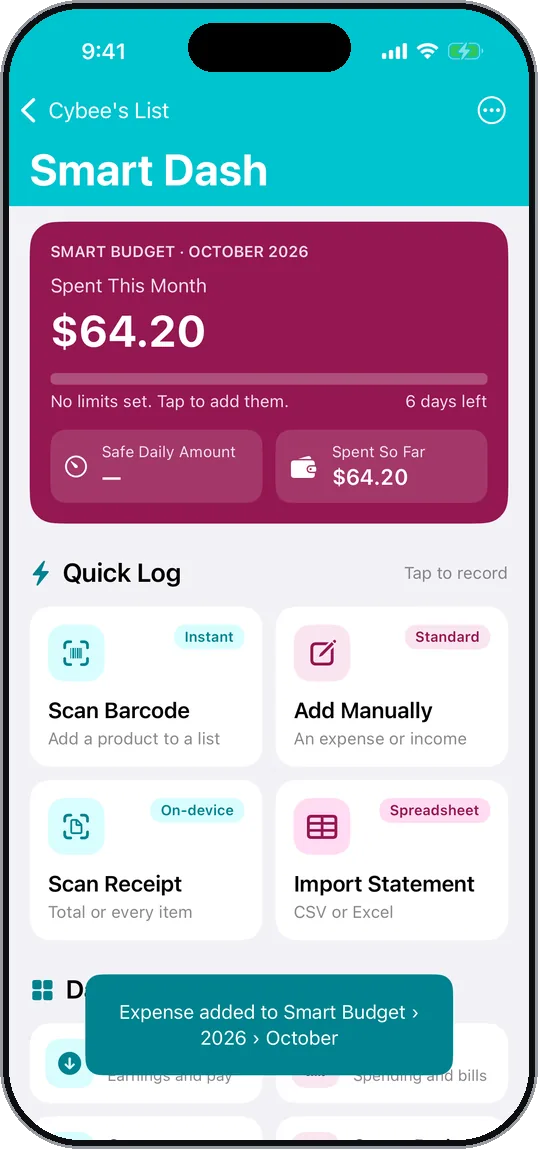
Smart Dash This month's spending, and quick ways to record more. -
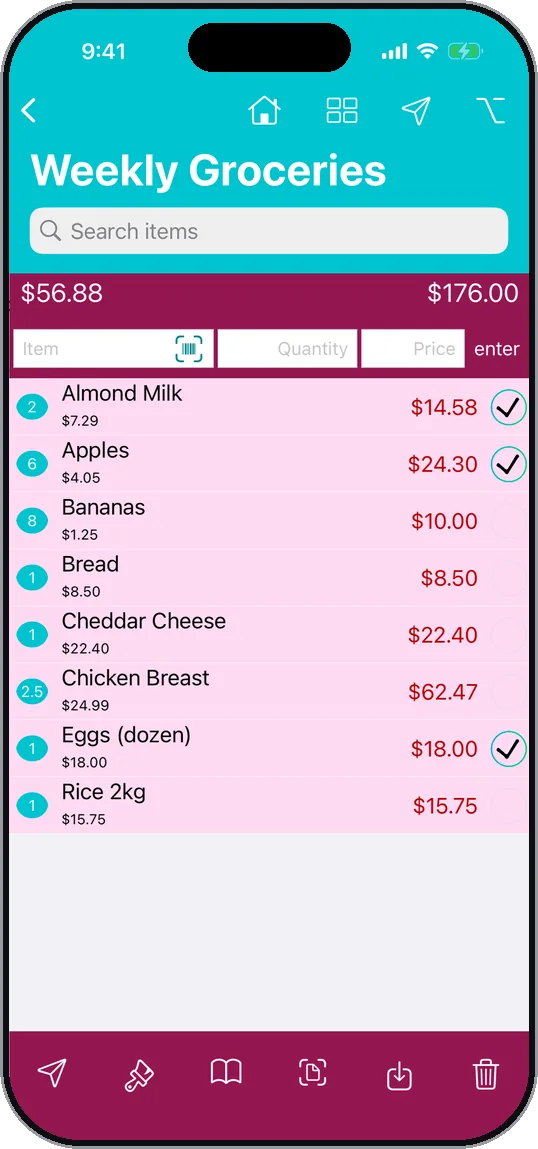
Shopping list Ticks and prices add up as you shop. -
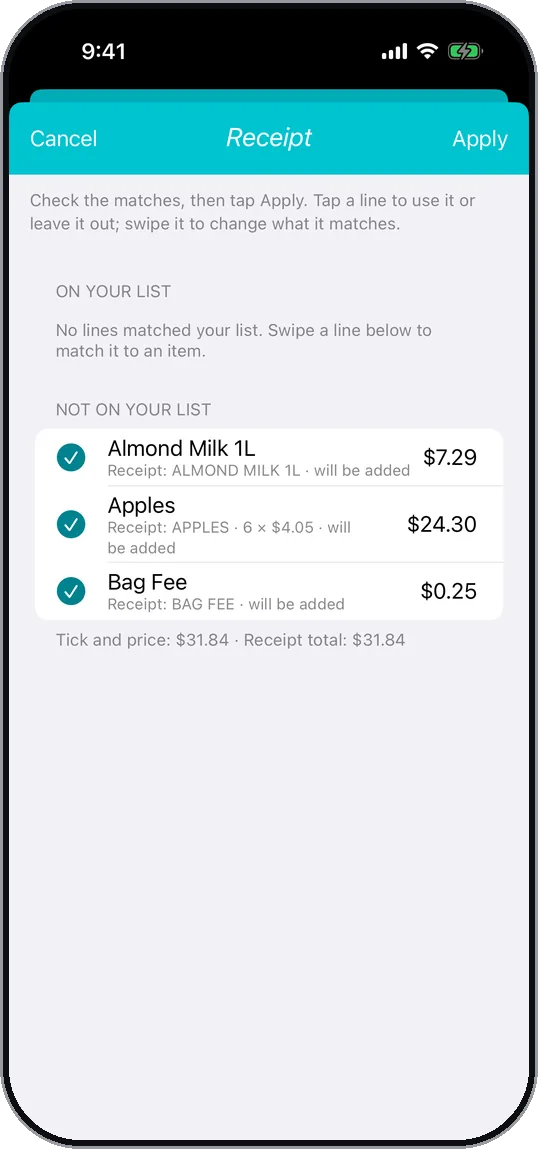
Receipt scan Receipt lines matched to the list, ready to apply. -
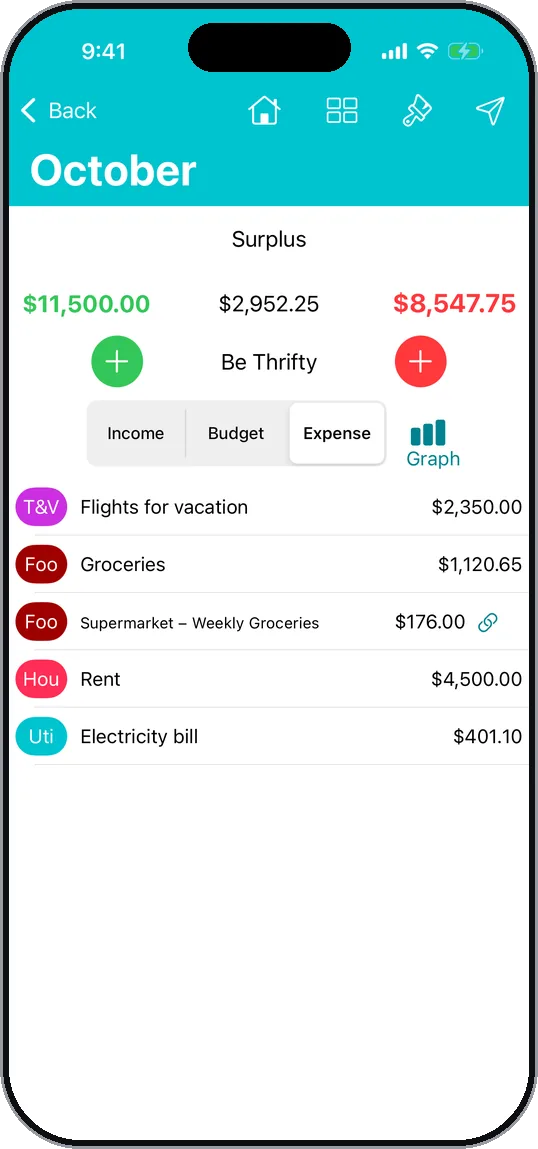
Budget A shopping total sent to the budget, linked both ways. -
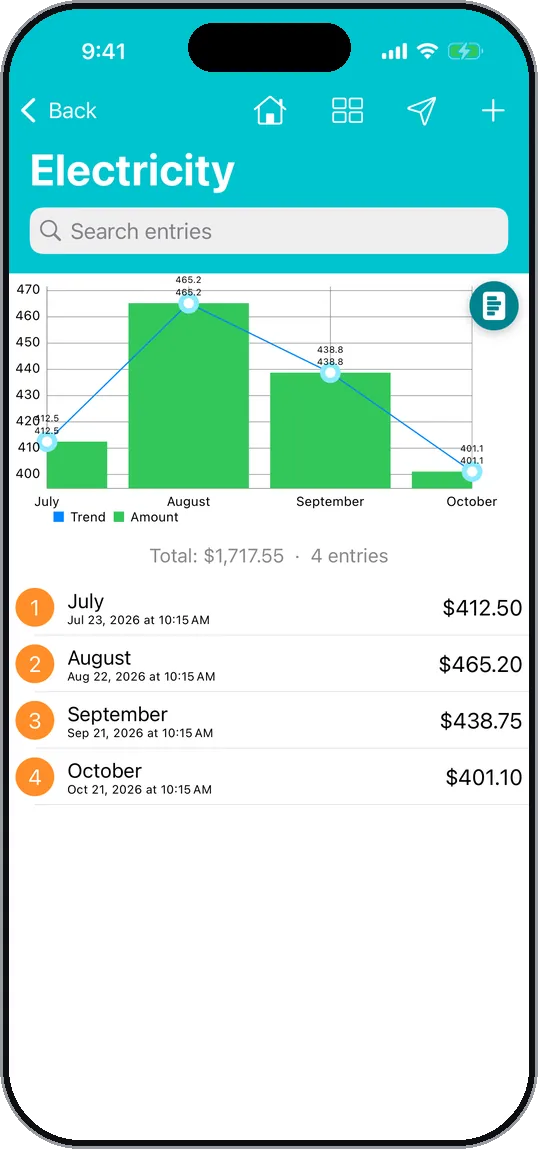
Tracking Electricity over four months, as bars and a trend line. -
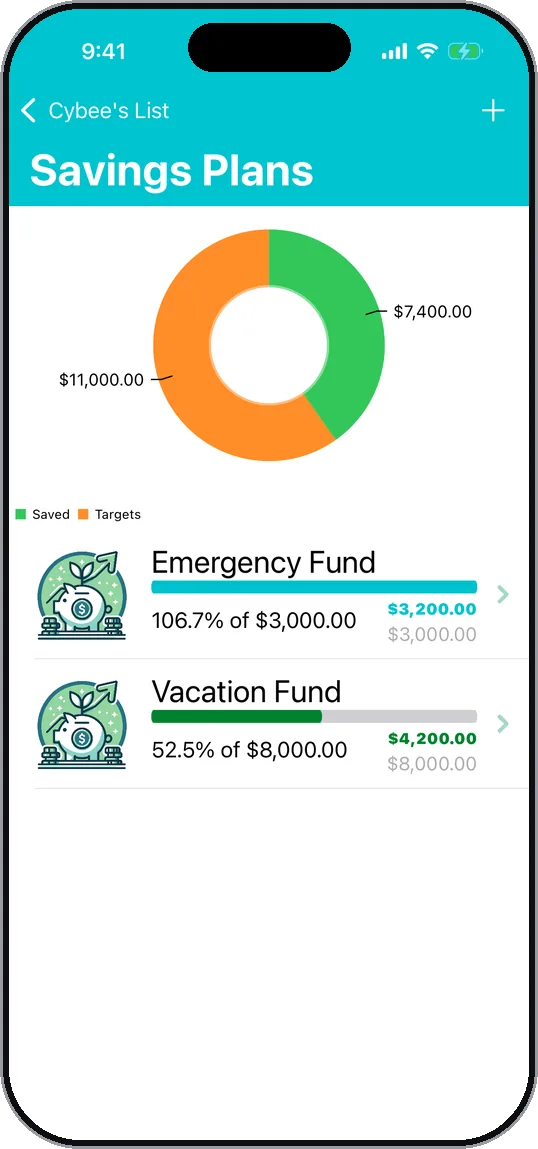
Savings plans Two goals and how close each one is. -
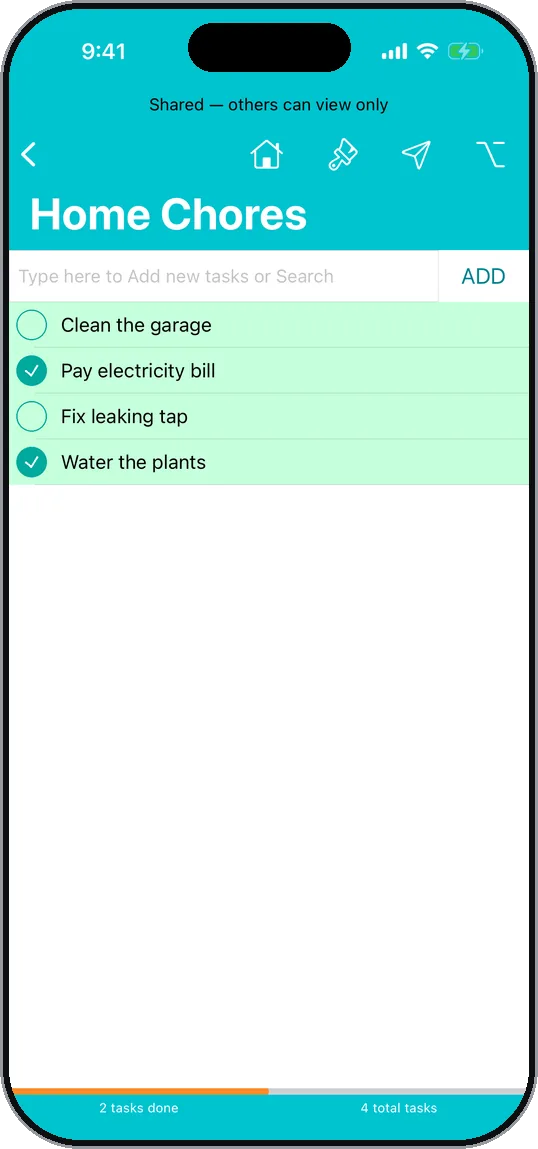
Shared to-do list Shared through iCloud, view only for others. -
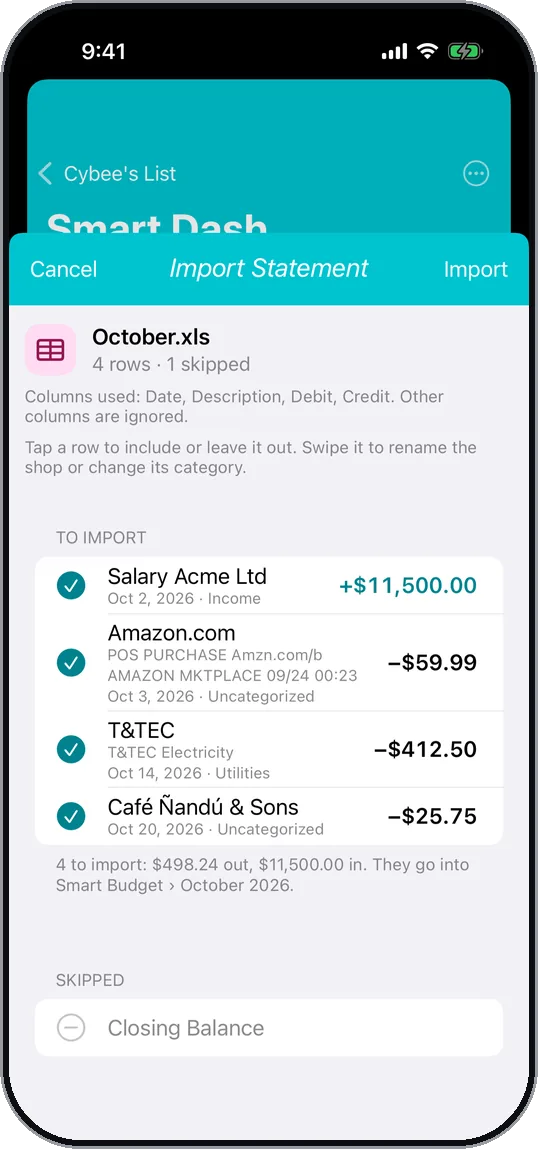
Statement import Bank rows sorted into categories before importing. -
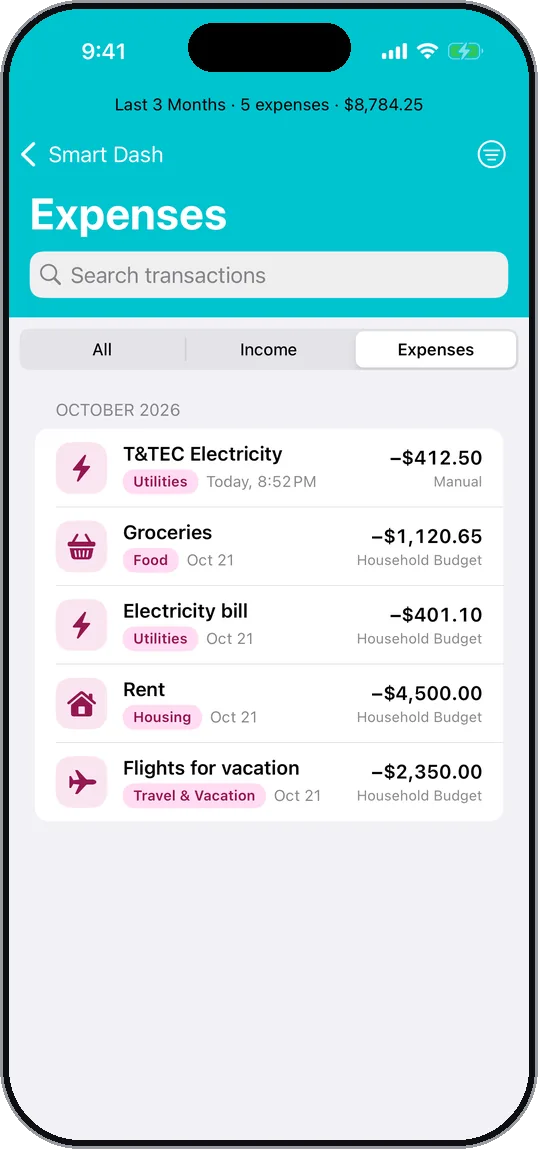
Expenses Every expense, searchable by category and shop.
Lists that talk to each other
Send a shopping total to your budget, a bill to a tracker, or a savings expense to a savings plan. Linked entries are counted once, and changing or deleting one offers to update the other.
Share with the people you live with
Share any list through iCloud and choose whether others can edit it or only view it. Lists you don't share never leave your iPhone.
Private by design
- No ads, no tracking and no analytics
- No account to create
- Works offline, with your lists kept on your iPhone
- Optional Face ID lock for budgets and savings
- Backups go to your own iCloud Drive

From the developer
I'm Stephen A. Dantes, an independent iOS developer. I started Cybee's List in 2023 to keep my shopping, chores, budget and bills in one place, without ads or an account. I design, build and test every part of it myself, and I read every message that comes in.
Found a bug or have an idea? Email me at stephendantes@gmail.com, or use Settings › Send Feedback in the app.